
 Troubleshooting
Task
Viewing Running Apps
You can view running apps by displaying the list on the Start screen. [Details]
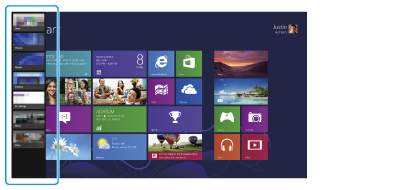
Touch operation (Touch screen equipped models)
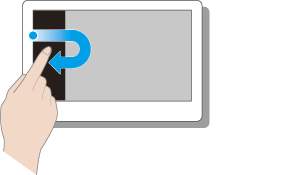
Swipe in from the left edge until a small app icon appears, then drag the icon back towards the left edge.
Mouse/Touch pad operation
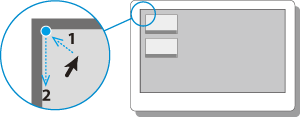
Point to the upper-left corner, then move downward.
Keyboard operation

Press the  (Windows) key and the Tab key at the same time.
(Windows) key and the Tab key at the same time.Related Topic