
Personal ComputerE SeriesSVE14A3
Viewing Running Apps
You can view running apps by displaying the list on the Start screen. See About the Start Screen and Menu for more information.
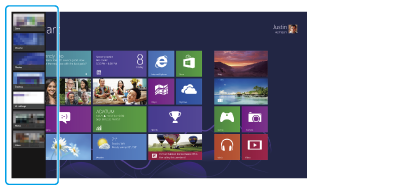
Touch operation (Touch screen equipped models)
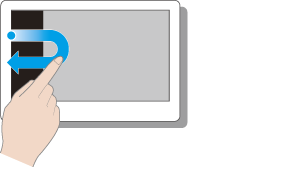
Swipe in from the left edge until a small app icon appears, then drag the icon back towards the left edge.
Mouse/Touch pad operation
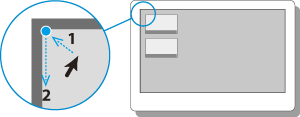
Point to the upper-left corner, then move downward.
Keyboard operation

Press the  (Windows) key and the Tab key at the same time.
 Go to Page Top