

- Top Page >
- Useful Functions >
- Turning the TV off by monitoring idle time
Turning the TV off by monitoring idle time
Overview
You can set the TV to turn off automatically after it has been idle for a preset period.

Steps
Press the HOME button, then select
 [Settings] at the bottom of the screen using the
  /
/ buttons.
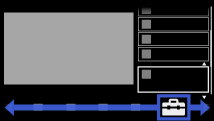
Select
 [System Settings] using the
  /
/ buttons, then press the
  button.
Select [Eco] using the
/ buttons, then press the button.Select [Idle TV Standby] using the
/ buttons, then press the button.Select the period using the
/ buttons, then press the button.
To return to the last viewed source, press the HOME button twice.
