

Sony

BRAVIA

i-Manual

  • Print
  • Font Size
  • Basic Operations
  • Parts Description
  • Watching TV
  • Using Other Devices
  • Using “BRAVIA” Sync Devices
  • Useful Functions
  • Using Internet
  • Using Home Network (DLNA)
  • Configuring Various Settings
  • Troubleshooting
  • How to Use Bookmarks
  • Top Page >
  • Watching TV >
  • Selecting channels by the number buttons

Top Page > Watching TV > Selecting Channels > Selecting channels by the number buttons

Selecting channels by the number buttons

Overview

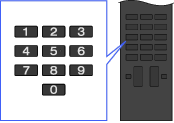
You can select channels simply by pressing the number button(s) on the remote.
Steps

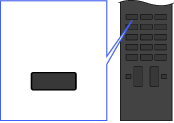
  1. Press the DIGITAL/ANALOG button to select digital/analogue mode.
    ANALOG DIGITAL
  2. Press the number button(s) to select the channel.
    For channel numbers 10 and above, press the second digit quickly after the first.

Top of Page

Trademark Information
List of Contents
© 2012 Sony Corporation