

- Top Page >
- Useful Functions >
- Setting the current time manually
Setting the current time manually
Overview
The current time is set automatically if the TV receives the time from a digital broadcast signal. If the TV cannot receive digital broadcast signal, set the current time manually.

Steps
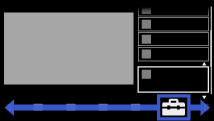
Press the HOME button, then select
 [Settings] at the bottom of the screen using the
  /
/ buttons.
Select
 [System Settings] using the
  /
/ buttons, then press the
  button.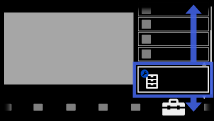
Select [Clock/Timers] using the
/ buttons, then press the button.Select [Clock Set] using the
/ buttons, then press the button.Press the
button in [Date].Set the date using the
/// buttons, then press the button.Select [Time] using the
button, then press the button.Set the time using the
/// buttons, then press the button.
To return to the last viewed source, press the HOME button twice.
To set the time zone you are in
Press the HOME button, select [Settings] → [System Settings] → [Clock/Timers] → [Time Zone], then the desired option.
(This setting is available depending on your region/country.)
To switch between summer and winter time according to the calendar
Press the HOME button, then select [Settings] → [System Settings] → [Clock/Timers] → [Auto DST] → [On].
(This setting is available depending on your region/country.)
