

- Top Page >
- Useful Functions >
- Setting age restriction
Setting age restriction
Overview
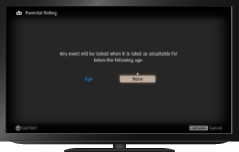
You can lock any event rated as unsuitable for below a specified age limit. (This function is available depending on your region/country.)
Steps
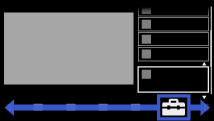
Press the HOME button, then select
 [Settings] at the bottom of the screen using the
  /
/ buttons.
Select
 [System Settings] using the
  /
/ buttons, then press the
  button.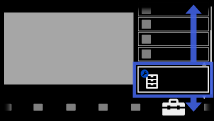
Select [Parental Lock] using the
/ buttons, then press the button.Press the
button in [PIN Code].Enter the password using the number buttons.
Select [Parental Rating] using the
/ buttons, then press the button.Press the
button, set the age using the / buttons, then press the button.
To return to the last viewed source, press the HOME button twice.
