- Top Page >
- Basic Operations >
- How to use remote
How to use remote
Using  /
/ /
/ /
/ and
and  Buttons
Operate this TV’s functions and settings basically using /// and buttons.
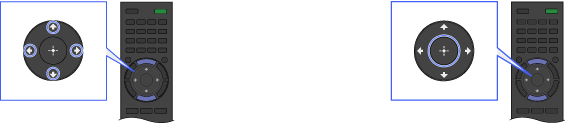
Select the item on the screen using the
/// buttons.Press the
button to apply the selection.
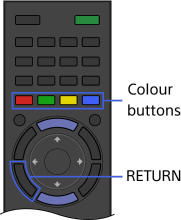
Using RETURN and Colour Buttons
To return to the previous screen
Press the RETURN button.
To operate functions using the colour buttons
The colour buttons and available functions are indicated at the bottom of the screen.
Press the colour button that corresponds to the function you want to use.
The available functions differ depending on the screen.