

- Top Page >
- Using “BRAVIA” Sync Devices >
- Setting Buttons to Control the HDMI/MHL Device
Setting Buttons to Control the HDMI/MHL Device
Overview
You can set the remote buttons of the TV to control the connected HDMI/MHL device.
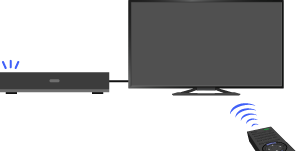
Steps
Press the HOME button, then select [Settings] using the
 /
/ buttons.
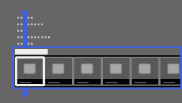
Select
 [External Inputs] using the
  /
/ buttons, then press the
  button.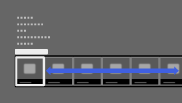
Select [BRAVIA Sync Settings] using the
/ buttons, then press the button.Select [Device Control Keys] using the
/ buttons, then press the button.Select the desired option using the
/ buttons, then press the button.
To return to the last viewed source, press the HOME button twice.
Available Options
- [None]
- Deactivates the control by the TV’s remote.
- [Normal]
- Enables basic operations, such as navigation buttons (up, down, left or right, etc.).
- [Tuning Keys]
- Enables basic operations and operation of channel-related buttons, such as the PROG +/– buttons or the 0 - 9 buttons, etc.
Useful when you control a tuner or set-top box, etc., via the remote. - [Menu Keys]
- Enables basic operations and operation of the HOME/OPTIONS buttons.
Useful when you control BD player menus, etc., via the remote. - [Tuning and Menu Keys]
- Enables basic operations and operation of the HOME/OPTIONS buttons and channel-related buttons.
