

- Top Page >
- Useful Functions >
- Automatically adjusting picture brightness according to ambient light
Automatically adjusting picture brightness according to ambient light
Overview
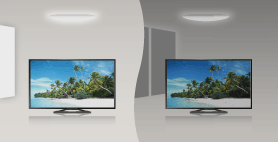
The picture brightness can be automatically adjusted according to the ambient light. You can save power consumption with an optimised picture brightness.
Steps
Press the HOME button, then select [Settings] using the
 /
/ buttons.

Select
 [System Settings] using the
  /
/ buttons, then press the
  button.
Select [Eco] using the
/ buttons, then press the button.Select [Light Sensor] using the
/ buttons, then press the button.Select [On] using the
/ buttons to enable this function, then press the button.
To return to the last viewed source, press the HOME button twice.
