

- Top Page >
- Using Other Devices >
- Optical audio connection
Optical audio connection
Making a Connection
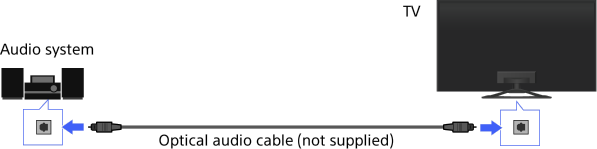
Connect an audio system (e.g. home theatre system) with digital input to the TV using an optical audio cable.
Tips
- See the instruction manual of the audio system for details on connection of other devices and for set-up before use.
Steps
After making a connection, press the HOME button, then select [Settings] using the
 /
/ buttons.
Select
 [Sound] using the
  /
/ buttons, then press the
  button.
Select [Speakers] using the
/ buttons, then press the button.Select [Audio System] using the
/ buttons, then press the button.Press the HOME button twice to return to the last viewed source.
Turn on the connected audio system, then adjust the volume.
Notes
- You need to configure the [Digital Audio Out] settings according to your audio system. Press the button to jump to “Setting sound for digital audio output” for details.
Jump to the page
