

- Top Page >
- Using Other Devices >
- HDMI connection
HDMI connection
Making a Connection
HDMI connection is recommended for optimum picture quality. If your BD/DVD player has an HDMI jack (socket), connect it using an HDMI cable.
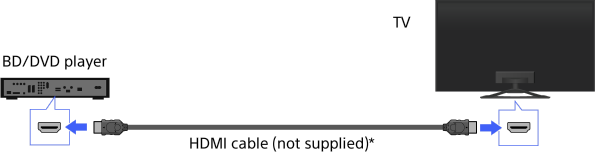
* Be sure to use an authorised HIGH SPEED HDMI cable bearing the HDMI logo.
Steps
After making a connection, turn on the connected BD/DVD player.
Press the
 button repeatedly to select the connected BD/DVD player.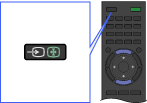
Start playback on the connected BD/DVD player.
Tips
- If you connect a “BRAVIA” Sync-compatible device, you can control it by simply using the TV’s remote.
Notes
- If the device has a DVI jack (socket), connect it to the HDMI (with AUDIO IN) port through a DVI - HDMI adaptor interface (not supplied), and connect the device’s audio out jacks (sockets) to the HDMI 3 AUDIO IN.
