

- Top Page >
- Useful Functions >
- Saving power by picture brightness
Saving power by picture brightness
Overview
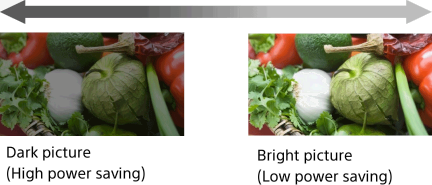
You can reduce power consumption by changing the picture brightness.
Steps
Press the HOME button, then select [Settings] using the
 /
/ buttons.

Select
 [System Settings] using the
  /
/ buttons, then press the
  button.
Select [Eco] using the
/ buttons, then press the button.Select [Power Saving] using the
/ buttons, then press the button.Select the desired option using the
/ buttons, then press the button.
To return to the last viewed source, press the HOME button twice.
Available Options
- [Picture Off]
- Maximum power saving. Picture turns off; sound remains on.
- [High]
- High power saving. Picture darkens.
- [Low]
- Low power saving. Picture darkens slightly.
- [Off]
- No power saving.
Tips
- If the power is turned off while [Picture Off] is set, [Power Saving] will be set to [Off] when the power is turned on next time.
