

- Top Page >
- Using Home Network >
- Selecting servers to display
Selecting servers to display
Overview
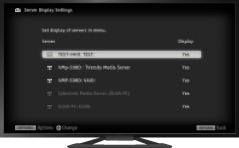
Select servers to be displayed in the Home Menu. Up to 10 servers can be displayed in the Home Menu.
Steps
Press the HOME button, then select [Settings] using the
 /
/ buttons.
Select
 [Network] using the
  /
/ buttons, then press the
  button.
Select [Home Network Setup] using the
/ buttons, then press the button.Select [Server Display Settings] using the
/ buttons, then press the button.Select the server to display or not display in the Home Menu using the
/ buttons, then press the button.Select [Yes] or [No] using the
/ buttons, then press the button.
To return to the last viewed source, press the HOME button twice.
