

- Top Page >
- Configuring Various Settings >
- Adjusting various sound settings (e.g. bass/treble/balance)
Adjusting various sound settings (e.g. bass/treble/balance)
Overview
You can adjust various sound setting of sound mode.
Steps
Press the HOME button, then select [Settings] using the
 /
/ buttons.
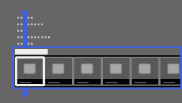
Select
 [Sound] using the
  /
/ buttons, then press the
  button.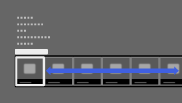
Select [Sound] using the
/ buttons, then press the button.Select the desired option using the
/ buttons, then press the button.
To return to the last viewed source, press the HOME button twice.
Available Options
- [Target Inputs]
- Applies custom sound settings to the current input or to common memory shared by other inputs.
- [Sound Mode]
- [Standard]: Optimises sound quality for general content.
[Cinema]: Optimises surround sound for movies.
[Sports]: Reproduces realistic sound, like that in a stadium.
[Music]: Lets you experience dynamic and clear sound, like that of a concert.
[Game]: Broadens your game-playing experience with superb sound quality.
[Compressed Audio]: Improves the sound quality of low bit rate compressed audio content. - [Sound Booster]
- [On]: Enhances treble/bass and reproduces dynamic sound.
[Off]: Provides natural sound. - [Equalizer]
- Adjusts the sound according to specific frequencies.
- [Voice Zoom]
- Emphasises voice or ambient sounds.
- [Sound Enhancer]
- Recovers and enhances lost high frequencies and dynamic range of low bit rate compressed audio content.
[Low]: Enhance and recover high frequencies.
[Mid]: Add dynamic range recovery.
[High]: Add individual recovery for dialogue and music.
[Simulated Stereo]: Adds a surround-like effect to monaural programmes. - [Advanced Auto Volume]
- Automatically compensates for the volume level that may vary by programme or input.
[Off]: Turns off AVV.
[Normal]: Normal mode.
[Night]: Compresses dynamic range for a more consistent level for viewing at night. - [Volume Offset]
- Adjusts the current volume level relative to other inputs, when [Target Inputs] is set to the current input.
- [Balance]
- Emphasises sound from the left or right speaker.
- [Reset]
- Resets the selected input settings to the initial value.
