

- Top Page >
- Using Other Devices >
- Digital Still Camera/Camcorder
Digital Still Camera/Camcorder
Making a Connection
Connect your Sony digital still camera or camcorder using an HDMI cable. Use a cable that has an HDMI mini jack for digital still camera/camcorder end, and a standard HDMI jack for the TV end.
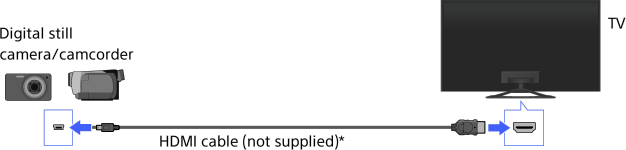
* Be sure to use an authorised HIGH SPEED HDMI cable bearing the HDMI logo.
Steps
After making a connection, turn on the connected digital still camera/camcorder.
Press the
 button repeatedly to select the connected digital still camera/camcorder.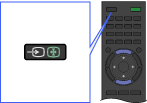
Start playback on the connected digital still camera/camcorder.
Tips
- If you connect a “BRAVIA” Sync-compatible device, you can control it by simply using the TV’s remote. Make sure that the device is “BRAVIA” Sync-compatible. Some devices may not be compatible with “BRAVIA” Sync even though they have an HDMI jack.
