

- Top Page >
- Useful Functions >
- Adding to Favourites
Adding to Favourites
Overview
You can quickly access your frequently used items, such as TV channels or applications, by adding them to Favourites.
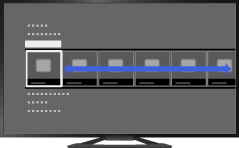
Steps
Display a channel to add to Favourites.
In the case of adding an application, press the HOME button, select [Applications] → [All Applications], then the desired application.Press the OPTIONS button.
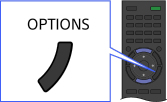
Select [Add to Favourites] using the
 /
/ buttons, then press the
  button.
In the case of adding an application, select [Add to Home Menu] using the/ buttons, then press the button.
Depending on the model, in the case of a digital channel, select [Edit Favourites] → [Add to Favourites] using the/ buttons, then press the button.
To access items added to Favourites
Press the HOME button, select [TV]/[Applications], then the desired item.
To remove an item from Favourites
Display the item to delete, press the OPTIONS button, then select [Remove from Favourites].
In the case of removing an application, press the HOME button, select [Applications], then the desired application. Press the OPTIONS button, then select [Remove from Applications].
Depending on the model, in the case of a digital channel, display the item to delete, then press the OPTIONS button. Select [Edit Favourites] → [Remove from Favourites].
To sort the list of applications
Press the HOME button, select [Applications] using the / buttons.
Select the desired item, press the OPTIONS button, then select [Move Application]. The selected applications move to the desired portions by using  /
/ buttons at the sorting applications screen.
