

- Top Page >
- Watching TV >
- Displaying Text Information
Displaying Text Information
Overview
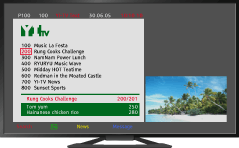
You can view a range of text and text-based graphic information, including national news, weather information and TV schedules. Information of interest can be chosen from several pages by entering a number.
Steps
Press the  button to display text information.
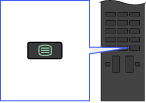
To close text information, press the button.
About the Text Information Screen
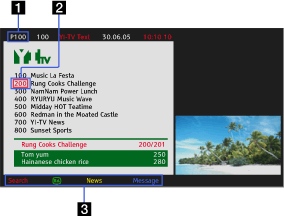
- Page number entry
Jumps directly to a page by selecting the page number on the screen or entering the page number directly.
- Page-catch cursor
Selects a new text page with the cursor by pressing the
 button.
 - Fastext
Accesses the desired pages quickly by pressing the corresponding colour button if available.
Press the
 /
/ button to hold the page.
Press the
 /
/ button to reveal hidden information (often used for quiz pages).
About the Digital Text Information Service
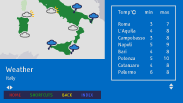
Digital text service offers graphically rich content with smooth graphics and images. Various functions, such as page links and an easy-to-use navigation method, can be used. The service is supported by numerous broadcasters. (This function is available depending on your model/region/country.)

About the Digital Interactive Application Service
The interactive application service offers high-quality digital text and graphics, along with advanced options. The service is supported by broadcasters. (This function is available depending on your model/region/country.)
Notes
- Interactive service is only available if provided by the broadcaster.
- Available functions and screen content vary depending on the broadcaster.
