
 Troubleshooting
Replacing the AA Battery of the Mouse
-
Set the power switch of the mouse to OFF.
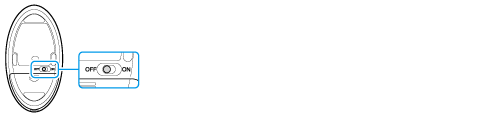
-
Turn the mouse upside down. Hold the center of the cover and slide the battery cover in the direction of the arrow.

-
Remove the old battery and insert a fresh AA alkaline battery (minus (-) end first), then close the cover.

-
Set the power switch of the mouse to ON.
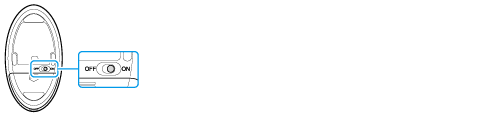
-
Use a new AA alkaline replacement battery.
-
If you intend not to use the mouse for a while, set the power switch of the mouse to OFF. If you intend not to use the mouse for a long period, remove its AA battery.
-
When the battery power becomes low, replace with the battery promptly. Keeping a depleted battery in the mouse may cause battery leakage.
-
Since the keyboard cannot be used with a commercially available rechargeable battery, use a non-rechargeable AA battery. If you use a rechargeable battery, battery leakage may occur, resulting in malfunction.
-
Do not recharge a dry cell AA battery.
-
Refer to the supplied safety information manual.