
Posts from your registered networking services and news sites are displayed in “Headlines”. Various operations can be performed using “Edit”, “Add feeds”, etc.
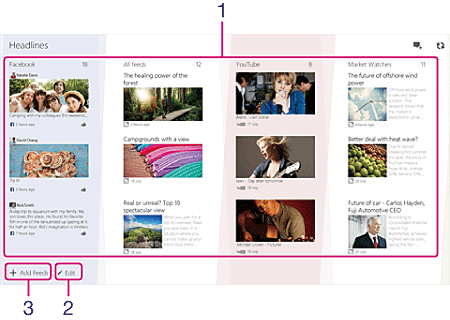
Display the networking services and news sites services in rows.
The name and number of new posts of the news site are displayed at the top of each row, and the latest posts are displayed below.
Select the name or a post on a news site to display only that site.
The size of the rows in “Headlines” can be reduced or returned to normal by pinching in/out on the screen or by holding down Ctrl and scrolling the mouse wheel.
This operation is useful when looking for a particular networking service or news site among a large number of registered sites.
Touching or clicking [Edit] enables you to deregister networking services/news sites, change the display order by dragging the sites, or increase the number of rows of posts displayed in “Headlines”.
Display news sites that are popular with Socialife users and others that you might like.
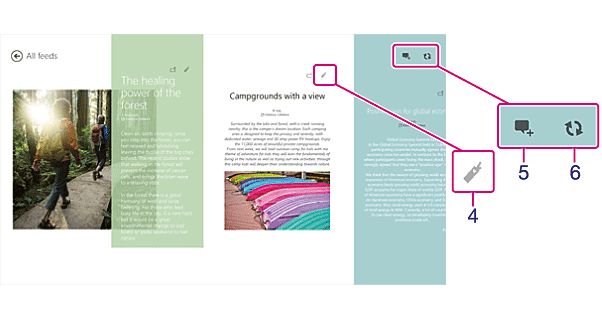
You can bookmark posts that interest you, and display them all together later.
 (Post):
Use Post to create and send a new post without launching Twitter or Facebook.
 (Refresh):
Use Refresh to update the posts in “Headlines”.
Follow the steps below to configure settings for registering accounts or news sites and managing your Sign-in ID.
 (Settings) charm.