
Android AppAlbum
Overview of Maps tab
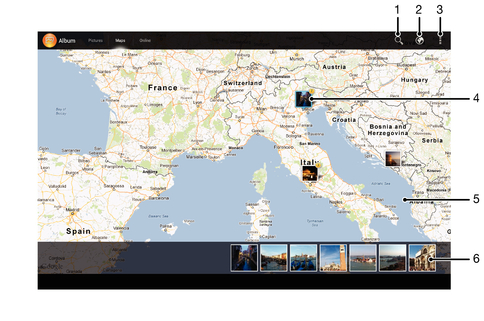
| 1 | Search a location on the map. |
| 2 | Switch to globe view. |
| 3 | View menu options. |
| 4 | A group of photos and/or videos geotagged with the same location. |
| 5 | Double tap to zoom in. Pinch to zoom out. Drag to view different parts of the map. |
| 6 | Thumbnails of the selected group of photos and/or videos. Tap an item to view it in full screen. |
 Go to Page Top