
Android AppMovies
Overview of Movies
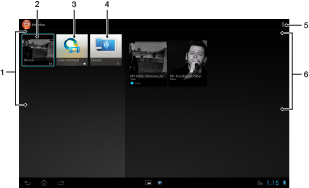
| 1 | All video categories available on your device. |
| 2 | Browse all movies. |
| 3 | Open the Video Unlimited™ application. |
| 4 | Browse content on other connected DLNA Certified™ devices. |
| 5 | View menu options. |
| 6 | View the content for a selected video category. |
 Go to Page Top