Lens distortion compensation
Using the Adjust clip plugin of the Catalyst Prepare Plugin, You can correct the distortion aberrations caused by the digital camera lens.
The Adjust clip plugin cannot be used on clips located on FTP devices, volumes of XDCAM station via CIFS, XDCAM decks, XDCAM drive units, or Optical Disc Archive volumes.
-
Load into the project panel and drag the clip to the timeline panel.
For information on the camera settings required to enable corrections using metadata, visit https://www.sony.net/catalyst/help.
-
Dragging the Adjust clip from the Catalyst Prepare Plugin in the effects to the clip on the timeline will add the Adjust clip.
-
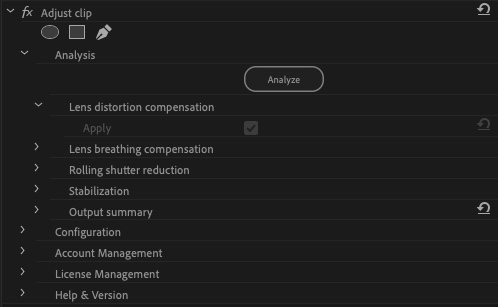
Select the Apply check box for Lens distortion compensation to enable Lens distortion compensation .
To change the lens distortion correction to ON or OFF, you need to turn OFF other corrections.
-
Click the Analyze button to analyze the selected clip. The results of the correction will be reflected in the preview display.
After analysis, the corrected resolution will be displayed in the Output summary section.