Shot marks and clip flags
The Catalyst Prepare Plugin allows you to view shot marks and clip flags in MP4 and MXF clips
For information about supported cameras, please visit https://www.sony.net/catalyst/help.
Shot marks
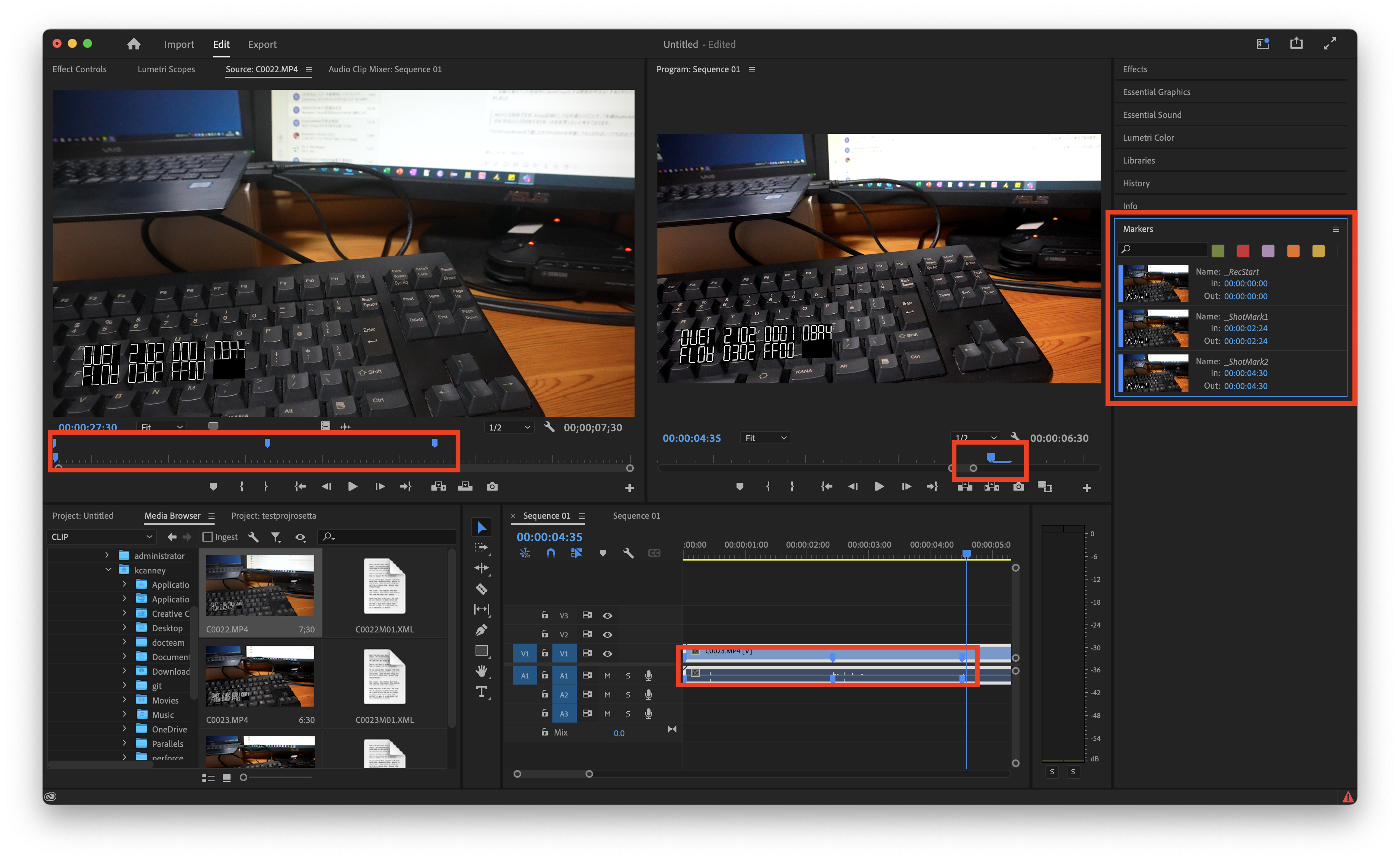
When you import a clip into a Premiere project, shot marks are displayed in the Source pane, the Program pane, the timeline, and in the Markers window:
Clip flags
When a clip includes Flag metadata, OK, NG (no good), and Keep flags are converted to a rating in Premiere:
| Flag | Rating |
|---|---|
| OK | 5 |
| Keep | 3 |
| NG
(no good) |
1 |
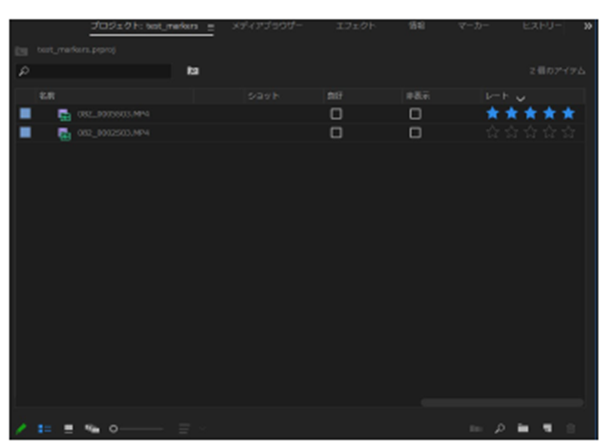
In this image, the first entry shows a clip that includes an OK flag.