


Music playback operations
The following operations are available on the music playback screen.
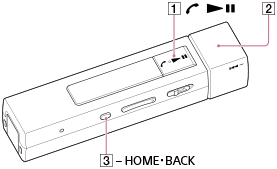
To play/pause
Press the button ( ).
).
To fast forward or rewind
Rotate and hold the switch ( ).
).
To go to the beginning of the next song or go to the beginning of the previous (or current) song
Rotate the switch ().
To go to the beginning of the next/previous album, folder, or playlist
Pull out and rotate the switch ().
Hint
-
When your Walkman is connected to your smartphone via a Bluetooth connection, you can answer an incoming call to your smartphone by pressing the button ().
-
If there is no operation, the screen will be turned off. To turn on the screen, press the button (
 ).
).
-
To return to the music playback screen from other screens during music playback, press and hold the button () to display
 [Music], and then press the button () again.
- If there is no operation for an extended period while paused, your Walkman will be turned off automatically.