

- Top Page >
- Configuring Various Settings >
- Setting a viewing restriction
Setting a viewing restriction
Overview
You can lock any event rated as unsuitable for below a specified limit. (This function is available depending on your region/country.)
Steps
Press the HOME button, then select
 [Settings].
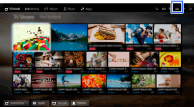
Select
 [Preferences] → [Parental Lock].
Press the
 button in [Password], enter the password, then select [Country]* → the country in which you apply parental rating* → [Rating]/[Digital Rating] → [Child], [Youth], [Young Adult] or [Custom].
(When using the Touchpad Remote Control, press the touchpad in [Password].)
When selecting [Custom], select the desired option.
* This step may not be available depending on your region/country. Skip this step if unavailable.
To download digital rating data (available depending on your region/country)
Press the HOME button, select [Settings] → [Preferences] → [Parental Lock] → [Password], then enter the password. Select [Downloadable U.S. Rating]/[Digital Rating] → [Custom] → the desired options.
To block programs or movies without a rating (available depending on your region/country)
Press the HOME button, select [Settings] → [Preferences] → [Parental Lock] → [Password], then enter the password. Select [Unrated] → [Block].
