

- Top Page >
- Watching TV >
- Audio (for analog mode)
Audio (for analog mode)
Steps
Press the HOME button, then select
 [Settings].
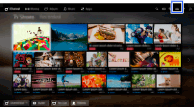
Select
 [Sound] → [MTS Audio] → the desired option.
Tips
- To select sound on digital channels, press the OPTIONS button, then select [Alternate Audio].
Available Options
- [Stereo]
- Adjusts sound for stereo reception.
- [Auto SAP]
- Adjusts sound for second channel audio of programs such as bilingual.
- [Mono]
- Adjusts sound for monaural reception. Use this option when the stereo signal is unstable.
