
Sony

BRAVIA

i-Manual

  • Print
  • Font Size
  • Basic Operations
  • Parts Description
  • Watching TV
  • Enjoying Movies/Music/Photos
  • Using Internet Services and Applications
  • Watching TV with Friends Far and Near
  • Using Other Devices
  • Using BRAVIA Sync Devices
  • Useful Functions
  • Connecting to the Internet
  • Using Home Network
  • Configuring Various Settings
  • Troubleshooting
  • How to Use Bookmarks
  • Top Page >
  • Useful Functions >
  • Turning the TV off by monitoring input signal

Top Page > Useful Functions > Saving Power Consumption > Turning the TV off by monitoring input signal

Turning the TV off by monitoring input signal

Overview

You can set the TV to automatically turn off when no broadcast or external input signal is detected for 15 minutes.

Steps

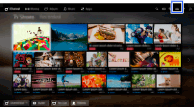
  1. Press the HOME button, then select [Settings].

  2. Select [Preferences] → [Eco] → [Auto Shut-off] → [On].

Top of Page

List of Contents
© 2014 Sony Corporation