

- Top Page >
- Watching TV with Friends Far and Near >
- Inviting Friends Using the Program Guide
Inviting Friends Using the Program Guide
Overview
You can use the program guide to invite friends to watch the same program or express that you like certain programs.
Tips
- As of March 2014, this function is available in the following regions/countries.
Czech Rep. / Denmark / Germany / Switzerland / Austria / United Kingdom / Ireland / Spain / France / Italy / Netherlands / Belgium / Luxembourg / Norway / Poland / Russia / Slovakia / Finland / Sweden / New Zealand / Australia / United States / Canada / Brazil
Steps
Connect to a broadband Internet connection.
Press the
 button to jump to the title list. Then, press the button again to go to “Connecting to the Internet” for details.
(When using the Touchpad Remote Control, press the touchpad. Then, press the touchpad again to go to “Connecting to the Internet” for details.)Press the HOME button, then select
 [Channel].
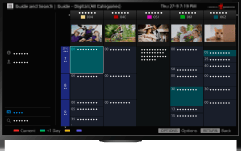
Select [Program Guide].
Detailed information about TV programs is displayed.
Select the desired program.
The detailed information of the program appears.
Select [Invite Friends].
Follow the on-screen instructions to log in to the TV with your Facebook account.
The friend selection screen appears.
Follow the on-screen instructions to send invitations.
Tips
- You can register up to six accounts with the TV.
- After your account is registered, you can select it from the account list to log in.
Notes
- Guide and Search can launch only when [Cable/Antenna] is set to [Antenna] or a set-top box via an IR Blaster is ready.
