

- Top Page >
- Using Other Devices >
- Timer recording
Timer recording
Steps
Press the HOME button, then select
 [Channel].
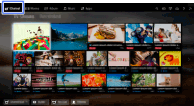
Select [Guide] → a programme to record → [Timer REC].
Press the
 button, configure the timer setting using the
  /
/ /
/ /
/ buttons, then press the button.
(When using the Touchpad Remote Control, press the touchpad, slide up/down/left/right to configure the timer setting, then press the touchpad.)
The TV informs you if the selected programme is a split part. You can record all parts if the gap between parts are less than 3 hours.
Select [Set Timer].
If the selected programme is part of a series, you can make series recording by selecting [Set Timer As a Series]. (This function is available depending on your region/country.)
To manually set the timer by specifying date, time and channel
Press the HOME button, then select [Channel] →  [Recordings] → [Timer List] → [Manual timer REC]. Configure the timer setting, then select [Set Timer].
To check, modify or delete timer settings
Press the HOME button, then select [Channel] → [Recordings] → [Timer List].
Tips
- Up to 32 timer settings can be made.
- If recording fails, the result will be listed in [Error List] of the [Recordings] menu.
Notes
- Timer recording cannot be started if the AC power cord (mains lead) is disconnected.
- If the timer settings overlap, the programme that starts first has priority and the recording of the second programme starts only after the first programme has finished.
- For New Zealand model: Recording from [Guide] is not possible. However, by connecting the TV to the Internet, pressing the HOME button, then selecting
 [Apps] → [All Apps] → [Guide and Search], you can book recording.
