

- Top Page >
- Watching TV >
- Using the TV Guide Search Function
Using the TV Guide Search Function
Overview
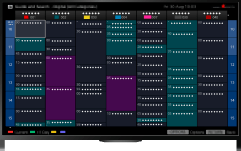
You can search for information on TV programmes, and cast/crew details.
Tips
- As of March 2014, this function is available in the following regions/countries.
Czech Rep. / Denmark / Germany / Switzerland / Austria / United Kingdom / Ireland / Spain / France / Italy / Netherlands / Belgium / Luxembourg / Norway / Poland / Russia / Slovakia / Finland / Sweden / New Zealand / Australia / United States / Canada / Brazil
Steps
Connect to a broadband Internet connection.
Press the
 button to jump to the title list. Then, press the button again to go to “Connecting to the Internet” for details.
(When using the Touchpad Remote Control, press the touchpad. Then, press the touchpad again to go to “Connecting to the Internet” for details.)Press the HOME button, then select
 [Apps].
Select [All Apps] → [Guide and Search] → the TV programme.
Displays detailed information about TV programmes.
To return to the last viewed source, press the RETURN button a few times.
To search for TV programmes by entering a keyword.
You can select [Event Search] from the Options menu to search for TV programmes by entering a keyword (title, etc.).
Tips
- If the displayed channel differs from the selected channel, select [Assign Programme] by pressing the OPTIONS button, then select the desired channel from the channel list. If the desired channel is not in the list, search by entering a keyword (broadcaster name).
- While displaying the Programme guide, by pressing the OPTIONS button, you can create a favourite channel list.
Notes
- A TV programme will appear blank if no data is contained in a channel.
- Channel information may not be displayed correctly.
