

- Top Page >
- Connecting to the Internet >
- Setting IPv6
Setting IPv6
Making a Connection
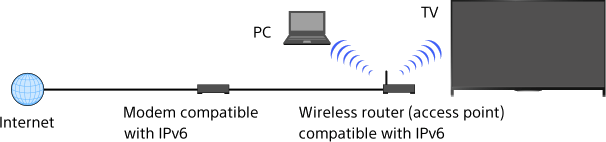
If your provider's service is compatible with IPv6, you can connect this TV to the Internet by IPv6.
Example of wireless connection:
Steps
Connect to a broadband Internet connection.
Press the HOME button, then select
 [Settings].
Select
 [Network] → [IPv6 Set-up] → [Set up IPv6 connection].
Follow the on-screen instructions to complete the set-up.
Notes
- If your network environment does not support IPv6, turn off IPv6 of the TV.
