

- Top Page >
- Watching TV >
- Using the TV Guide Search Function
Using the TV Guide Search Function
Overview
You can search for information on TV programmes, and cast/crew details.
Tips
- As of March 2014, this function is available in the following regions/countries.
Czech Rep. / Denmark / Germany / Switzerland / Austria / United Kingdom / Ireland / Spain / France / Italy / Netherlands / Belgium / Luxembourg / Norway / Poland / Russia / Slovakia / Finland / Sweden / New Zealand / Australia / United States / Canada / Brazil
- Guide and Search can launch only when [GUIDE Key Behaviour] is [Launch Guide and Search].
Steps
Connect to a broadband Internet connection.
Press the HOME button, then select
 [Channel].
Select [Guide].
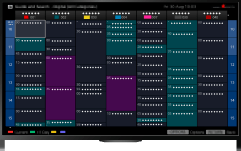
Displays detailed information about TV programmes.
To return to the last viewed source, press the RETURN button a few times.
To search for TV programmes by entering a keyword.
You can select [Event Search] from the Options menu to search for TV programmes by entering a keyword (title, etc.).
To change the display to the Programme guide by pressing the GUIDE button or GUIDE icon
You can set up the Programme guide as follows:
Press the HOME button, then select  [Settings] →
  [System Settings] → [General Set-up] → [GUIDE Key Behaviour] → [Launch Guide and Search].
You can also select [Launch Guide] from the Options menu to change to the Broadcast Programme Guide.
Tips
- If the displayed channel differs from the selected channel, select [Assign Programme] by pressing the OPTIONS button, then select the desired channel from the channel list. If the desired channel is not in the list, search by entering a keyword (broadcaster name). This function is not available on channels on a set-top box.
- While displaying the Programme guide, by pressing the OPTIONS button, you can create a favourite channel list, or switch between the Digital/Sat/Set-top box programme guides.
Digital/Sat/Set-top box programme guide switching is only available on satellite-compatible models or IR Blaster compatible models.
Notes
- A TV programme will appear blank if no data is contained in a channel.
- Channel information may not be displayed correctly.
