
 Operation Search
Taking advantage of the touch panel
The available functions may differ according to the screen mode.
Touch the screen to perform operations such as enlarging desired images or selecting a function with your finger.
|
Screen
|
Action
|
Operating method
|
|
|
Shooting
|
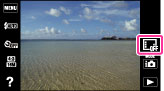 |
Invalids the touch panel operation
|
Touch
 few seconds. few seconds.Touch
 few seconds to display the icon. few seconds to display the icon. |
|
Shooting/Selecting the shooting mode
|
 |
Displays the function names
|
Touch
 on the top right of the screen on the top right of the screen  item you want to know. item you want to know. |
|
Viewing
|
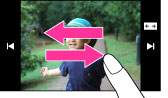 |
Displays the previous/next image or page
|
Drag the screen to the right or left.
|
Note
-
To operate the touch panel, press it lightly with your finger or the supplied paint pen. Pressing hard or using a pointed object other than the supplied paint pen could damage the touch panel.
