
 Operation Search
Selecting a recording medium
The recording media that can be used are displayed on the screen of your camcorder as following icons.
|
Default recording medium
|
Alternative recording medium
|
||
 |
Internal memory
|
 |
Memory card
|
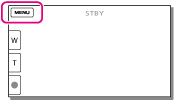
You can select a recording medium from the menu.
-
Select

 [Setup]
[
[Setup]
[ Media Settings]
[Media Select] the desired medium.
Media Settings]
[Media Select] the desired medium.
Notes
-
You cannot select a different recording medium for movies and for photos.
Related topics
