
 Before Use
DISP Button(Finder)
When shooting using a viewfinder (sold separately), set available screen display mode by pressing the DISP (Display Contents) button on the control wheel.
-
MENU

 2 [DISP Button(Finder)] desired mode
The items marked with  are available.
are available.-
Press the MENU button to set.
|
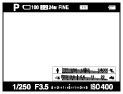
Graphic Display
|
Shows basic shooting information. Graphically shows the shutter speed and aperture value.
 |
|
Display All Info.
|
Displays shooting information.
 |
|
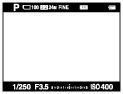
No Disp. Info.
|
Does not display shooting information.
 |
|
Level
|
Displays an indicator guide showing the angle of inclination of the camera to the left or right side. When the camera is held on a level, this indicator guide appears green.
 |
|
Histogram
|
Displays the luminance distribution graphically.
 |
Related Topic
