
 Before Use
Scene Selection
Allows you to shoot with preset settings according to the scene.
-
Set the mode switch to
 (Still Image).
-
MENU

 (REC Mode)
 (Scene Selection)
 on the control button desired mode
-
If you want to select another Scene Selection mode, select from MENU.
|
Allows you to shoot faces for smoothness.
 |
|
 (Soft Snap) (Soft Snap) |
Allows you to shoot images with a softer atmosphere for portraits and flowers, etc.
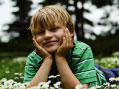 |
 (Landscape) (Landscape) |
Allows easy shooting of distant scenes by focusing in the distance. Shoots a clear sky, trees and flowers in vivid colors.
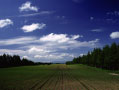 |
|
Allows you to shoot sharp images of people with a night view in the background, without compromising the atmosphere.
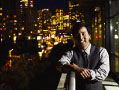 |
|
 (Night Scene) (Night Scene) |
Allows you to shoot night scenes at far distance without losing the dark atmosphere of the surroundings.
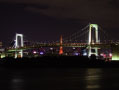 |
|
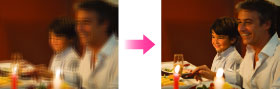
Allows you to shoot images without a flash under low light conditions, reducing blur.
 |
|
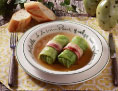
 (Gourmet) (Gourmet) |
Allows you to shoot food arrangements in delicious and bright colors.
 |
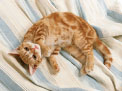
 (Pet) (Pet) |
Allows you to shoot images of your pet with the best settings.
 |
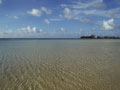
 (Beach) (Beach) |
Allows you to shoot scenes on the beach in bright and vivid colors even under the sunlight.
 |
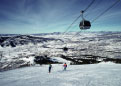
 (Snow) (Snow) |
Allows you to record clear images preventing sunken colors in snowy scenes or other places where the whole screen appears white.
 |
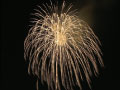
 (Fireworks) (DSC-W730) (Fireworks) (DSC-W730) |
Allows you to record fireworks in all their splendor.
 |


Notes
-
When you shoot images using
 (Night Portrait), (Night Scene) or (Fireworks)* modes, the shutter speed is slower and the images tend to blur. To prevent blurring, the use of a tripod is recommended.
* (Fireworks) mode is available only for the DSC-W730.
(Fireworks) mode is available only for the DSC-W730.Related Topic
