
 Before Use
DISP (Display Setting)
-
Press
 (Display Setting) on the control button.
-
Select the desired mode with the control button.
 |
 (OFF) (OFF) |
Displays only images.
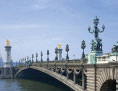 |
|
|
 (Detailed Info) (Detailed Info) |
Displays the information.
Exif data for the recorded image and the histogram are also displayed.
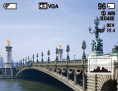 |
|
|
 (ON) (ON) |
Displays the information.
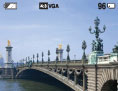 |
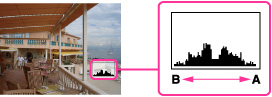
Histogram
A histogram is a graph showing the brightness of an image. The graph display indicates a bright image when skewed to the right side (A), and a dark image when skewed to the left side (B).
-
Press
(Display Setting) on the control button, then select [Detailed Info].
Notes
-
The histogram also appears when playing back a single image, but you cannot adjust the exposure.
-
The histogram does not appear when:
-
Recording/playing back movies
-
Viewing vertical orientation images
-
Rotating still images
-
Shooting/viewing in [iSweep Panorama]
-
The histogram may not appear for images recorded using other cameras.
