
 Before Use
Easy Mode
Allows you to shoot still images using the minimum necessary functions.
The text size increases and indicators become easier to see.
-
Set the mode dial to
 (Intelligent Auto).
-
MENU

 (Easy Mode)
 on the control button.
-
[OK]
-
Shoot with the shutter button.
 To end Easy Mode, MENU
[Exit Easy Mode]
To end Easy Mode, MENU
[Exit Easy Mode]Notes
-
The battery power may decrease faster because the screen brightness increases automatically.
Scene Recognition
Scene Recognition operates in Easy Mode. This function lets the camera automatically recognize the shooting conditions and shoot an image.
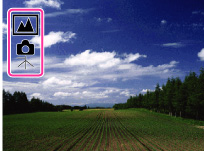
For details, see “Scene Recognition”. [Details]
Shooting functions available in Easy Mode (Shooting)
|
Still Image Size
|
MENU
[Still Image Size]
on the control button desired mode
Select between [Large] or [Small] size.
|
|
Self-Timer
|
 on the control button desired mode on the control button desired modeSelect between [10sec] or [Off] mode.
|
|
Flash
|
 on the control button desired mode on the control button desired modeSelect between [On] or [Auto] mode.
|
|
Smile Shutter
|
 on the control button on the control button |
