
 Before Use
Retouch
Retouches a recorded image and saves it as a new file. The original image is retained.
-
Set the camera to playback mode.
-
MENU

 (Retouch) desired mode
 on the control button
-
Perform retouching according to the operation method in each mode.
|
Records a zoomed playback image.
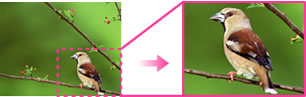  Move the Move the  lever to the T side to zoom in, to the W side to zoom out. lever to the T side to zoom in, to the W side to zoom out. Set the zoom point with the control button. Set the zoom point with the control button. MENU
select an image size to save
MENU
select an image size to save
|
|
 (Unsharp masking) (Unsharp masking) |
Sharpens the image within a chosen frame.
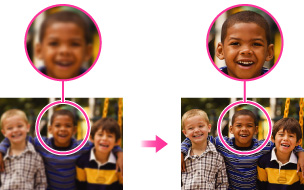 Select the area (frame) of the desired image to retouch with the control button
MENU.
|

Notes
-
You cannot retouch the panoramic images or movies.
