
 Operation Search
Copy
-
Models with internal memory
After you select [Copy], a display asking you to select the source and the destination for the images to be copied appears. Select the desired item.
-

 [Edit/Copy] [Copy].
-
Select the desired setting ([Multiple Images] or [All In Event]).
 to the desired images, and then select
  .
.-
You can select multiple images.
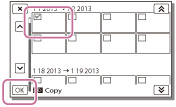
 /
/  , and then select
.
, and then select
.-
You cannot select multiple dates.
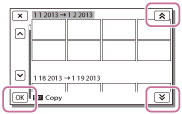
-
When you record an image on the memory card for the first time, create the image database file by selecting
[Setup] [ Media Settings] [Repair Img. DB F.] [Memory Card].
-
Connect your camcorder to the wall outlet (wall socket) using the supplied AC Adaptor to prevent your camcorder from running out of power during copy.
-
You cannot copy images stored on the memory card to the internal memory of the camcorder (models without a USB input function).
