
 Getting started
Creating a Text Memo
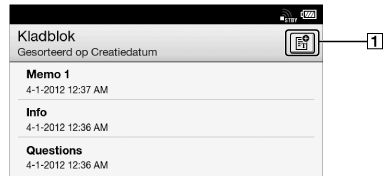
You can use the [Kladblok] application to create a memo.
-
Press the
 (Home) button
  tap [Applicaties] [Kladblok].
-
Create a new memo.
-
Tap
 at the upper-right corner of the screen.
A notepad opens.
-
Type a memo using the on-screen keyboard.
-
Tap [Opslaan].
Tip
-
If you tap [Nieuw] while creating a memo, the current memo is saved, and a new notepad opens.
-
Newly created memos will be saved only in the internal memory.
