


Using the control wheel
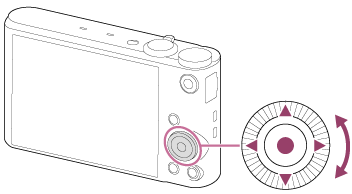
You can select setting items by turning or pressing the top/bottom/right/left side of the control wheel. Your selection is determined when you press  on the center of the control wheel.
The DISP (Display Setting),  (Photo Creativity),
 /
/ (Drive Mode),
 (Flash Mode) functions are assigned to the top/bottom/left/right side of the control wheel.
(Photo Creativity),/(Drive Mode),(Flash Mode) functions are assigned to the top/bottom/left/right side of the control wheel.
During playback, you can display the next/previous image by pressing the right/left side of the control wheel or by turning the control wheel.