

- Top Page >
- Playing online games
Playing online games
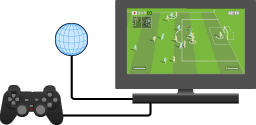
Connect the built-in PlayStation(R)2 to a network to enjoy online games.
You can play online games by connecting the built-in PlayStation(R)2 to a network.
Items you will need
- A network compatible PlayStation(R)2 game
- Broadband Internet service
- A commercially available Ethernet cable
- A memory card (8MB) (for PlayStation(R)2) (sold separately)
Creating a network configuration
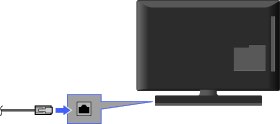
When playing online games, insert a commercially available Ethernet cable into the network connector, and then create a network configuration. Refer to the instructions supplied with the online game for creating a network configuration.