


- Top Page >
- Parts Description >
- Lower
Lower
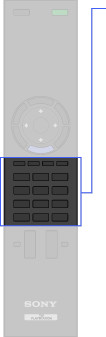
- Coloured buttons/DVD buttons
- Number buttons
 (Text)
 (Subtitle Setting)
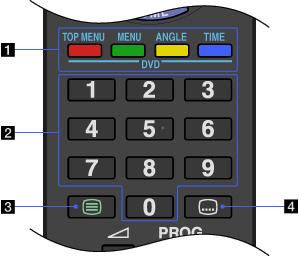
- Coloured buttons/DVD buttons
TV function: When the coloured buttons are available, an operation guide appears on the screen.
PlayStation(R)2 function:
DVD TOP MENU: Press to display the top menu.
DVD MENU: Press to display the menu.
DVD ANGLE: Press to change the viewing angle.
DVD TIME: Press to display the current title or chapter number, elapsed time.
- Number buttons
TV function: Press to select channels. For channel numbers 10 and above, press the next digit quickly.
PlayStation(R)2 function: Press to enter a chapter number.
In Text mode: Press to enter a page number.
- (Text)
Press to display text information.

- This button is unavailable for PlayStation(R)2.
- (Subtitle Setting)
TV function: Press to turn subtitles on or off (when the feature is available).
PlayStation(R)2 function: Press to turn subtitles on or off (when the feature is available).
