


- Top Page >
- Watching a DVD
Watching a DVD
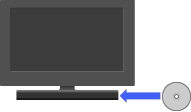
Plays back DVDs on the TV by inserting discs into the built-in PlayStation(R)2.
You can play DVDs on the built-in PlayStation(R)2.
Starting a DVD
Insert a disc to start DVD playback.
Operating the DVD player
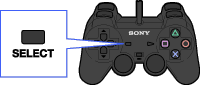
Press the SELECT button on the Analog Controller then select an icon.
|
 |
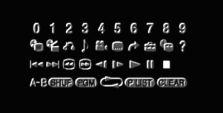 |
Control panel items

|
Menu | Displays the menu |
|---|---|---|
 |
Top Menu | Displays the top menu |
 |
Return | Returns to the previously selected screen |
 |
Audio Options | Displays and changes audio options |
 |
Angle Options | Displays and changes viewing angles |
 |
Subtitle Options | Displays and changes subtitle options |
 |
Go To | Skips to the selected title, chapter or the specified time, and starts playback |
 |
Setup | Displays and changes options for language, picture quality, Parental Control level, audio, etc. |
 |
Time Display | Displays the current title or chapter number, elapsed time, etc. |
 |
Help | Displays the direct button functions of the Analog Controller (DUALSHOCK(R)2) |
 |
Go to Chapter | Used to enter the number of a chapter you want to play |
 / / |
Previous/Next | Returns/skips to the beginning of the current, previous or next chapter |
 / / |
Search | Fast reverses/forwards playback |
 / / |
Slow | Changes to playback/reverse playback in slow-motion |
 |
Play | Starts playback |
 |
Pause | Pauses playback |
 |
Stop | Stops playback |
 |
A-B Repeat | Specifies a scene for playback, and starts playback of the scene that has been set |
 |
Shuffle Play | Begins playback of titles or chapters in a random order |
 |
Programme Play | Begins playback of titles or chapters in a programmed sequence |
 |
Repeat Play | Selects repeated playback of all the titles on the disc, or one title or one chapter |
 |
Original/Play List | For DVD-RW discs (VR mode), selects Original or Play List content to play |
 |
Clear | Clears selected numbers or playback modes |

- Selecting (Stop) again after playback is stopped clears resume play (playback from the last stopping point).
- Some control panel options cannot be selected during resume play. To select these options, cancel resume play by selecting (Stop) on the control panel and then selecting (Stop) again after playback is stopped.
