


- Top Page >
- Fun Features with Connected Equipment >
- VCR/DVD Player
VCR/DVD Player

Connect a VCR or DVD player to your TV. The type of cable depends on your player’s output.
VCR/DVD Player with HDMI Connection

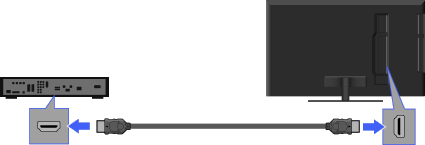
HDMI cable (not supplied)
VCR/DVD Player
TV

- HDMI connection is recommended for optimum picture quality.
VCR/DVD Player with Component Video Connection
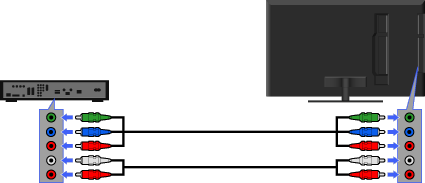
Component Video cable (not supplied)
TV
Audio cable (not supplied)
VCR/DVD Player
VCR/DVD Player with Composite Connection
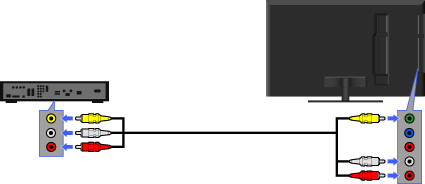
VCR/DVD Player
TV
Composite Video/Audio cable (not supplied)
Viewing pictures from connected Equipment

|
 |
 |
Turn on the connected equipment.
Press
 and select the desired input source.
