
Sony

BRAVIA

i-Manual online

  • Print
  • Font Size
  • “BRAVIA” TV Features
  • Watching TV
  • Using the Home Menu
  • Fun Features with Connected Equipment
  • Parts Description
  • Troubleshooting
  • Index

arrow_right i-Manual online map

  • Top Page >
  • Parts Description >
  • Lower

Top Page > Parts Description > Lower

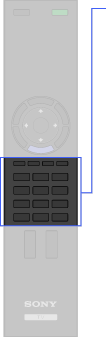
Lower

  • Coloured buttons
  • 0-9

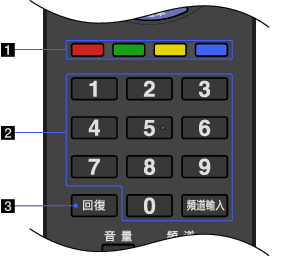
  1. Coloured buttons

    When the coloured buttons are available, an operation guide appears on the screen.

  2. 0-9

    Press 0-9 to select a channel. Press to change channels immediately.

  3. Press to return to the channel that was last viewed (for more than five seconds).

Return to top

Copyright 2010 Sony Corporation