


- Top Page >
- Watching TV >
- Digital Electronic Program Guide
Digital Electronic Program Guide
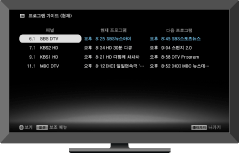
Displays program information for each channel, for easy selection of a desired program.
Digital Electronic Program Guide provides current program information and program guides for the next two days. This feature allows easy access to desired programs and program information.

- This function is only available for digital broadcast.
Program Guide (Current)

- Program Guide Screen Name
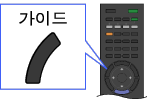
Displays the current program guide. To switch Program Guide (Current) to Program Guide, press
 and select “Guide” of the “Program Guide” icon under the “TV” category.
 - Channel Information
Displays a channel title and number for a broadcaster.
- Current Program List
Displays a listing of currently broadcast programs. You can view a selected program by highlighting it and pressing
 .
. - Next Program List
Displays a listing of subsequent programs.
Program Guide
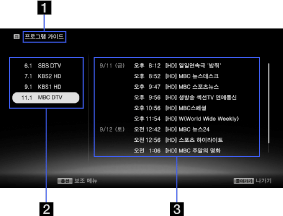
- Program Guide Screen Name
Displays the Program Guide service. To switch to Program Guide (Current), press
and select “Guide (Current)” of the “Program Guide” icon under the “TV” category. - Channel Information
Displays a channel title and number for a broadcaster. A listing for the highlighted channel appears on the program list.
- Program List
Displays a program schedule for the selected channel. You can display program information by highlighting a program and pressing
.
