


- Top Page >
- Fun Features with Connected Equipment >
- Programming the Remote Control
Programming the Remote Control
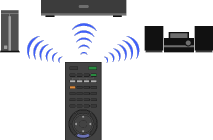
Program the remote control so as to control other manufacturers’ equipment connected to the TV.
Your remote control is preset to operate Sony TVs, and most Sony BD players, DVD players, DVD/HDD recorders, and audio systems (Home Theater, etc.). To control equipment made by other manufacturers (and some other Sony models), program the remote control.
|
 |
 |
Check the manufacturer’s codes you may need from the following list.
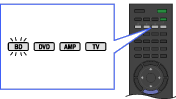
Press and hold the BD, DVD, or AMP button you want to program, then press
 .
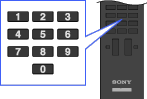
.Enter the manufacturer’s code number when the function button flashes, then press
 .
.
Manufacturer’s Codes
- DVD players:
- - SONY: 0001, 0024, 0023, 0025, 0038
- Blu-ray disc (BD) players:
- - SONY: 0501, 0502, 0503
- DVD/video cassette recorders:
- - SONY: 0207, 0222
- DVD/HDD recorders:
- - SONY: 0219, 0220, 0221
- VCRs:
- - SONYVTR1:Betamax: 1001, 1007, 1010, 1011
- VTR2:8mm: 1002, 1008VTR3:VHS: 1003, 1009VTR4:DV: 1004VTR5:DV: 1005VTR6:DV: 1006
- DAV Home Theater System:
- - SONY (DAV): 4501 – 4506
- AV receivers:
- - SONY: 4001, 4002, 4056, 4057, 4085
- Digital terrestrial receivers:
- - SONY: 3101, 3102
