


- Top Page >
- Parts Description >
- Upper
Upper
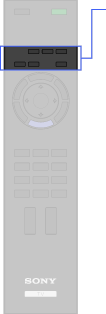
 (Wide mode)
- DIGITAL/ANALOG
 (Twin picture/PIP)
- SCENE
- INTERNET VIDEO
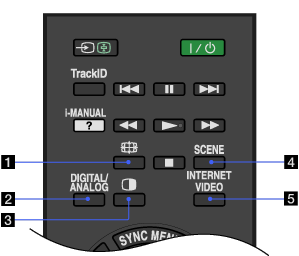
- (Wide mode)
Press to change the wide mode.
- DIGITAL/ANALOG
Press to switch between digital and analogue mode.
When viewing pictures from connected equipment, press to return to the last viewed TV mode.
- (Twin picture/PIP)
Display two pictures simultaneously.
- SCENE
Press to display the [Scene Select] menu. Select the desired scene option for optimum sound and picture quality.
- INTERNET VIDEO
Press to access Internet content on the Home Menu.
